


 Home / News & Events /
-
Share
-

-

-

-

Updated 1 day ago
Thermal Paper for Printers: How to Diagnose Receipt Problems Before Reordering
admin
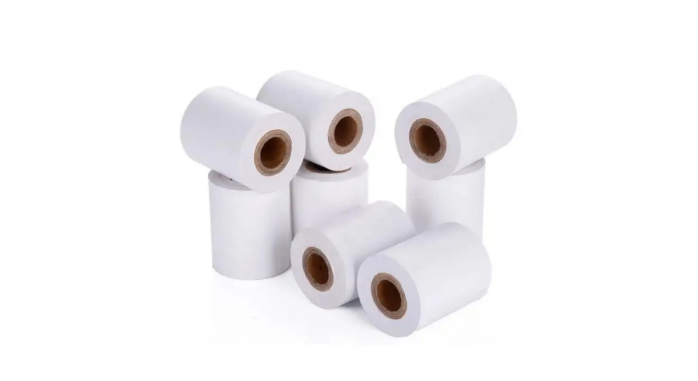
Receipts could end up being pale due to numerous causes. The roll can be loaded coated-side to roll away from printhead. A printer could print each receipt with a white line. What may be a clear print when you check it out may not be a clear print when you take it out of a hot drawer. By the time the store finds out what's the issue, they may have ordered another carton, and now have the same complaint and another carton to deal with.
The fastest method for assessing thermal paper for use in a retail/foodservice printer is to compare a suspect roll with a roll that is known to work. First make sure both rolls fit. Then, maintain the print job and setting, and differentiate problems that may occur at the printer from those that can occur during storage.
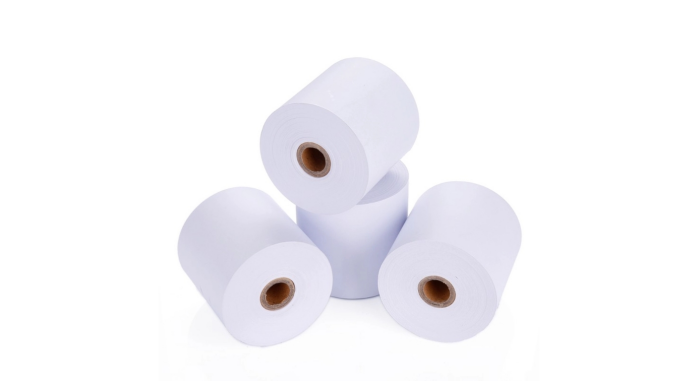
Check Roll Fits, and Coating Faces the Printhead.
Begin with the model of the printer and the paper it has been approved for. Direct thermal receipt printers use a heat-sensitive paper and don't require the use of an ink ribbon to create the image. Check the width, maximum roll diameter and any core or paper thickness requirements in the equipment manual. Even if the size of the old carton is the same, confirm the actual roll build for the printer, such as the 57 × 40 mm and 80 × 80 mm thermal printing rolls from Jin Bao Brother.
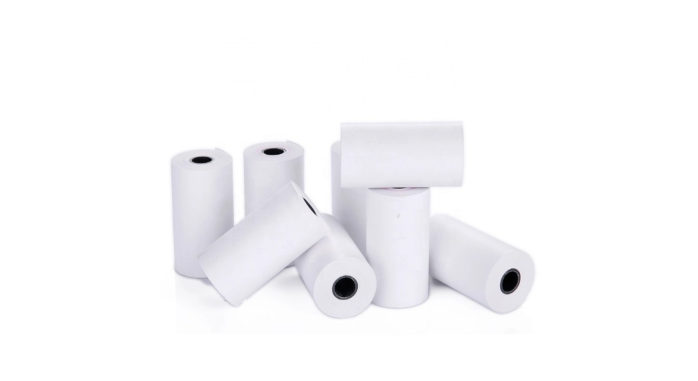
When a receipt is blank right after a roll change, please review the loading diagram and ensure that the coated side is facing the printhead. Make sure the roll is direct thermal stock and that the cover is completely closed. If one is provided, print the built-in test for a device. If that test prints fine, but the transaction receipt is blank or incomplete, then look in the application or print queue.
Use a Suspect Roll to Compare to a Known Working Roll
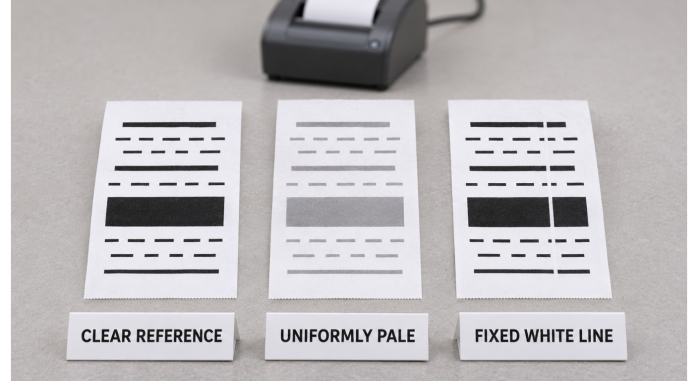
Always use the same printer and test receipt for both rolls. Add regular text, a solid black space and a barcode if the store has them for return or for their loyalty program. The first comparison will keep speed and darkness the same. Print out copies of a few receipts from each roll, and place them side by side. Repeat the comparison with another printer, if one is available, that is compatible with the machine. The two printer check can help to determine if the symptom is associated with the stock or remains with the equipment.
| Test stock | Checkout printer A | Checkout printer B |
| Known working roll | Clear | Clear |
| Suspect roll | Uniformly pale | Uniformly pale |
A thin, white line in the same position on both rollups may indicate the printhead or the media path problem. According to the model's maintenance instructions, perform any maintenance necessary, such as stopping and cooling the printhead if required. Save the first samples and reprint them following the check. If the line continues, include the samples with the service request so that the technician will be able to see the pattern.
Compare response of coating under normal operating settings.
In the event that print from the suspect roll is consistently light on multiple compatible devices, consult the paper supplier in regards to the paper grade. Two different rolls, with the same print parameters, may yield different results. The quality control overview of Jin Bao Brother talks about tests of coating distribution, thermal response and image density. Be sure to inquire about the proposed grade and the conditions on which the print test is made.
If the printer can be adjusted, adjust one value at a time, following the printer's guidelines. Ensure that small numbers are kept separate and barcode lines are kept apart. A darker receipt will appear good on the surface and filled-in spaces will cause the code to be more difficult to read. When you find a suitable setting, save it with the paper reference and check the setting again in the middle of a busy print run.
If this is considered to be a grade-wide problem, retest the result from the same delivery, recording the lot number. If the problem is exhibited on just one roll preserve it for inspection and report the difference to the supplier.
Split FAP / Faint Output from Separate Printing.
Mark two samples with the print time and store under varying conditions. Store one as a reference in the paper suppliers recommended storage conditions. Take care of the other as the store would take care of their own receipts, e.g., by placing it in a sleeve or near the checkout. Now compare them at the time interval that is of interest to the business. When both look good at first and one develops a loss of contrast later, investigate with the grade and the storage and handling conditions.
Thermal images are subject to changes caused by heat, intense light and contact with some types of plasticizers. Jin Bao Brother offers standard, top coated and extended image life as options for its thermal POS paper rolls. Inquire about the proposed grade's image retention measurement and what it is able to withstand. Use the receipt in the real-life storage system that is applied to returns or expense records.
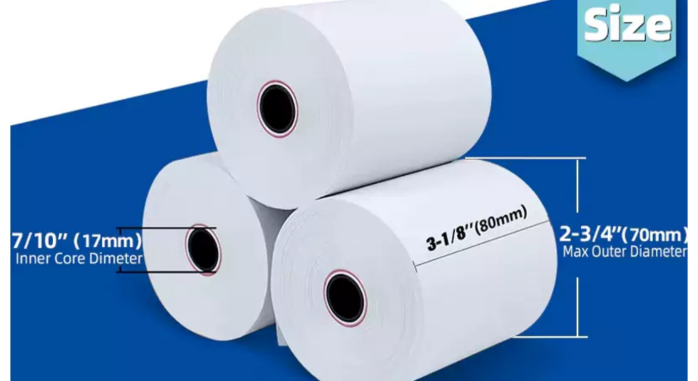
Scan the stored sample at the end of the trial if the store retrieves a transaction using the barcode from the receipt. Even with the barcode contrast reduced to the point where it is not easily scannable, a clerk might still be able to read the total.
Convert the Finding to a Reorder Specification.
Maintain a stock of unused roll, and dated test print approved. The purchase specification should include the model of the printer used, printer settings, roll size and paper type. To re-enter the delivery, go to the carton reference and re-enter the delivery on a compatible device. Jin Bao Brother's thermal paper roll size guide could be used for determining which size roll to verify with the supplier.
If a complaint is found, save off the wrapper/carton code associated with the bad print. Document if symptom was immediately present, occurred in same position or occurred at a later time. This provides the supplier/service team with sufficient background information to request the correct sample.
If the purchase is being offered a 'replacement', compare to the retained roll before given to all checkouts. Also re-check the store when the store relies on readability of receipts after printing.
Conclusion
Calculate the earliest time at which the receipt becomes illegible. Test loading to make sure a blank print is good, compare rolls and printers immediately for a defect and test storage separately for fading. Set the result to the approved paper grade; when checking with the next order, the paper grade should also be the same.
FAQs
Q1. Why can't I print something on my new thermal paper roll?
Determine if coated side is towards printhead and if printer uses direct thermal paper. If it is a model that has an integrated test, use it.
Q2. What may indicate a white line on each receipt?
Use the printer manufacturers' guidelines to check the printhead and media path. Compare with a known working roll to determine if line is maintained.
Q3. Can I darken a light receipt?
Do a comparison test between the suspect stock and a known good roll of stock using the same settings. Adjust one setting at a time and then re-check fine text and barcodes if any adjustments are needed.
Q4. If a roll is top coated, does that mean that receipts will be readable for a fixed amount of time?
Inquire about the image retention data for the grade and test conditions. Test the sample print over the length of time and conditions of use that are important to you.
Q5. If I have a roll that needs to be reported, what should I send?
Include the roll or carton reference, print sample, dated and printer model. Describe if the problem occurred right away or if it occurred after being stored.
We'll Get Back Within 24 Hours
Related Articles
Thermal Paper for Printers: How to Diagnose Receipt Problems Before Reordering
2026-11-13
Roll Label Printer Media: How to Match the Roll to the Printer and Applicator
2026-11-13
8.5 × 11 Copy Paper: How to Keep Prints Consistent Across Shared Printers
2026-11-12
Thermal Printing Labels: How to Combine Preprinted Artwork With Variable Data
2026-11-12
