


 Home / News & Events /
-
Share
-

-

-

-

Updated 1 day ago
Roll Label Printer Media: How to Match the Roll to the Printer and Applicator
admin
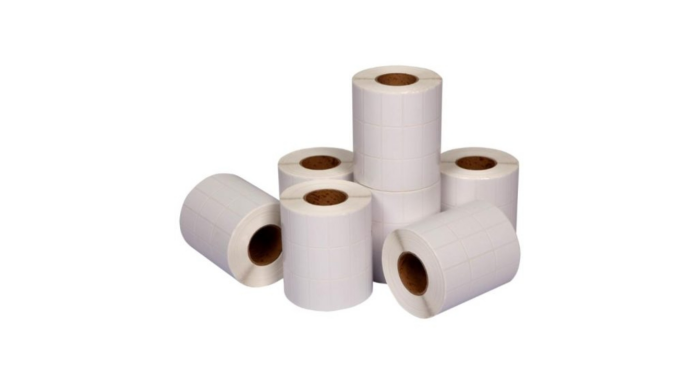
A roll label printer ensures that a clear barcode is printed, while the labelling station is still stopping every few minutes. One roll has to be on the holder, and rubs against the cover. Another is printed and the label is left on the liner at the peel plate. Even if the dimensions are listed on the face of the label of the roll, both faults may be due to the manner in which the roll was made.
The question for packaging engineers (and buyers) is whether the roll travels throughout the equipment. Begin at the end of the printing operation and proceed step-wise backwards to the roll specification and then test the actual construction at operating speed.
Prime From Label Leaving the Printer
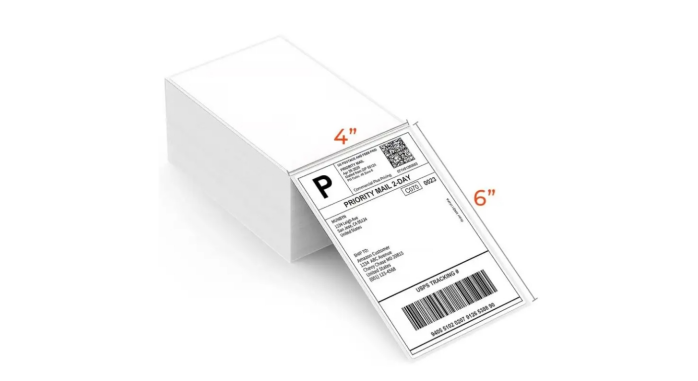
Find out how the print label is received by the operators. They collect the label and liner at a tear-off station, and hand-peel the label. Peel-off station is where the label is separated from the liner as the liner bends around a dispensing edge. Printed web is directed to another operation by a line that rewinds it and a compatible print-and-apply system controls printing with the applicator. Such configurations have varying requirements for the same roll.
Please refer to the model of the equipment and options installed before specifying the media. You might need to use a different dispense option with a printer that has a tear bar if you want it to operate in peel mode. If the printed roll is handed to a different applicator, review the requirements of that applicator, in addition to the printer's requirements. The print station may be able to take a roll format which the following machine will not accept unless rewinds are done.
If the same label design is used at both a manual bench and an automatic station, determine if the rolls will need to be interchangeable. Evaluate the expense of two roll positions against the operator time for changing rolls and/or adapting stock at changeover.
Use Whole Roll, Including the Liner.
Measure the face dimensions of the label and the width of the label separately. The label can fit between the guides, but the backing may be too big. Check the core inside diameter, maximum outside diameter and label pitch (the distance between the beginning of one label and the beginning of the next label). For gap sensed stock, decide upon the gap. Mark position (required by equipment) with black-mark stock.
Jin Bao Brother's custom thermal label rolls come with various label size choices and roll diameters. Include a working roll or a dimensioned drawing with the inquiry, and indicate which of the dimensions are equipment limits. Test proposed roll at full diameter. A shorter sample roll might roll easily, but a longer production roll can't. If the roll is printed and it is then rewound for use at another station, note the maximum size that station can accept as well.
Draw the Winding Direction, Leading Edge
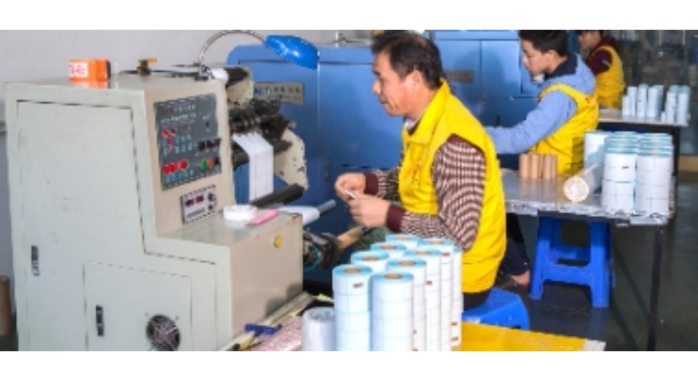
Check if the label face is wound inwards or outwards. Then label the edge that first goes into the machine. Two rolls may be wound face out, and yet have different faces showing the printer or applicator. Jin Bao Brother's roll label guide suggests using a roll-winding guide for automatic application. Indicate the roll how it is set up with the unwind direction, printable face and leading edge showing in the drawing.
Package orientation – for a side or top applicator, display package orientation at the point where its label is applied. A roll may run well and produce an acceptable readable code, but result in a sideways label on the package. If the print media is to be rewound between stations, check the winding of the output roll before approving the input roll.
Request the converter to quote the order confirmation's approved winding drawing. If the rolls have similar dimensions, record the roll code on the carton and retain a picture of the reference roll in the station when it is loaded. That provides operators with something tangible to look for when switching over.
Inspect How the Label Releasing at the Peel Edge
Each label is fed through the printer on the liner which is also used for separation when the backing changes direction. Jin Bao Brother's thermal label paper guide talks about the stiffness, thickness and release behavior of the liner. In a dispensing trial, observe if the label is removed cleanly and the liner is dispensed as intended. A label that does not hold well on the backing or detaches too soon indicates a problem with the media and/or equipment.
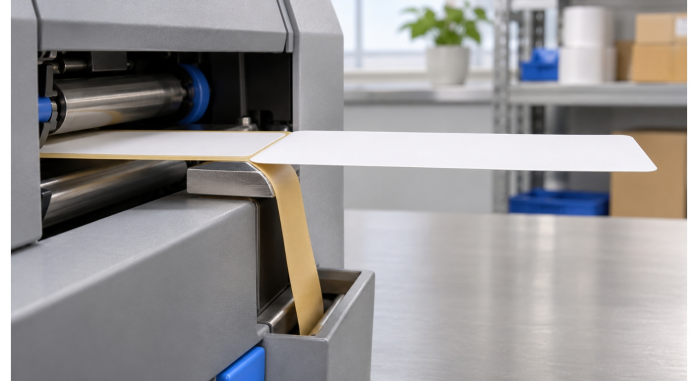
Check for cuts, tears and sticky residue on stripped liner, particularly if web is breakable at a repeatable point. See if the die has deeply marked the liner at the area of failure. However, before determining it was a liner failure, also consider the threading path and tension. Qualify the same stock at both stations if using the same stock for manual and automatic application. Hand peeling is not very indicative of what the label will do at line speed.
Approve Roll through a Full Operating Cycle
Print a production sample using the printer and down stream equipment. Add a complete roll start, a stop/restart and a run near the core. Normal speed and package presentation to use. Record stoppages at the location of the stoppage. Different follow-up checks are required for a feed fault, a label that remains on the liner and a properly dispensed label that becomes crooked on the package.
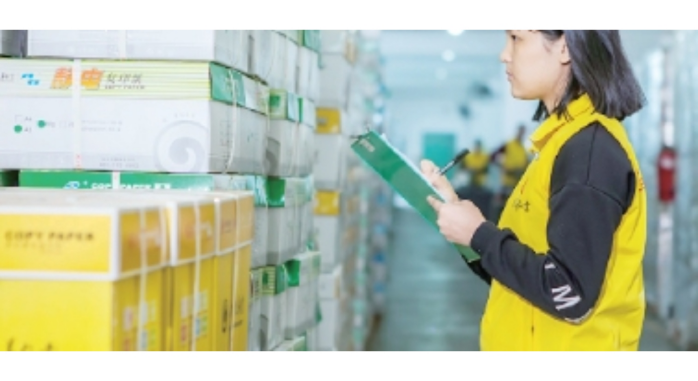
Before the trial, determine what is considered to be a usable label. When the application is to be done automatically, count the labels that are visible within the intended area and will be readable at the next scan point. Make a note of the number attempted and also of the rejects – so that the results of the various phases of trials can be compared.
| Trial stage | Labels attempted | Usable labels | Exception observed |
| Full roll start | 100 | 99 | One feed stop |
| After restart | 50 | 48 | Two labels stayed on liner |
| Near the core | 100 | 100 | None observed |
Jin Bao Brother's label quality overview includes roll alignment, size, core quality and smoothness of the label. Retain an approved roll specification and a copy of a sample. Before the next order, ask the supplier to indicate if there will be any change to the liner, die cut, core or winding. Make decisions about the checks the change needs using the original operating trial.
Conclusion
Select media to use for the entire roll label printer and application path. Identify the liner and the wound roll and illustrate the leading edge with a drawing and test the stock from loading to dispensing. A production type sample is a sample that is used as a reference for purchasing and operations for repeat orders.
FAQs
Q1. Does two rolls of the same label size make a difference in one printer?
Yes. The liner width, core, outside diameter, sensing marks and winding can even vary if the label faces are the same.
Q2. Is peel-off roll label available in all roll label printers?
Peel mode is model- and hardware dependent. Before ordering stock for a dispensing trial, be sure to read the equipment manual.
Q3. What is Label Pitch?
Pitch is the distance between the beginning of one label to the beginning of the next label along the feed direction. This contains the length of the label, and the gap, in that direction, on a regularly spaced die-cut roll.
Q4. Why is it that the label is printed and remains on the liner?
First check if the selected mode, threading path and peel assembly are correct. When the liner and the label release are set up correctly, test them at operating speed.
Q5. Is there a way to approve a roll from a short, thin piece of labels?
A strip can be used to check dimensions and print appearance. Test loading, tracking and dispensing with a wound sample.
We'll Get Back Within 24 Hours
Related Articles
Thermal Paper for Printers: How to Diagnose Receipt Problems Before Reordering
2026-11-13
Roll Label Printer Media: How to Match the Roll to the Printer and Applicator
2026-11-13
8.5 × 11 Copy Paper: How to Keep Prints Consistent Across Shared Printers
2026-11-12
Thermal Printing Labels: How to Combine Preprinted Artwork With Variable Data
2026-11-12
